
SavvyCal
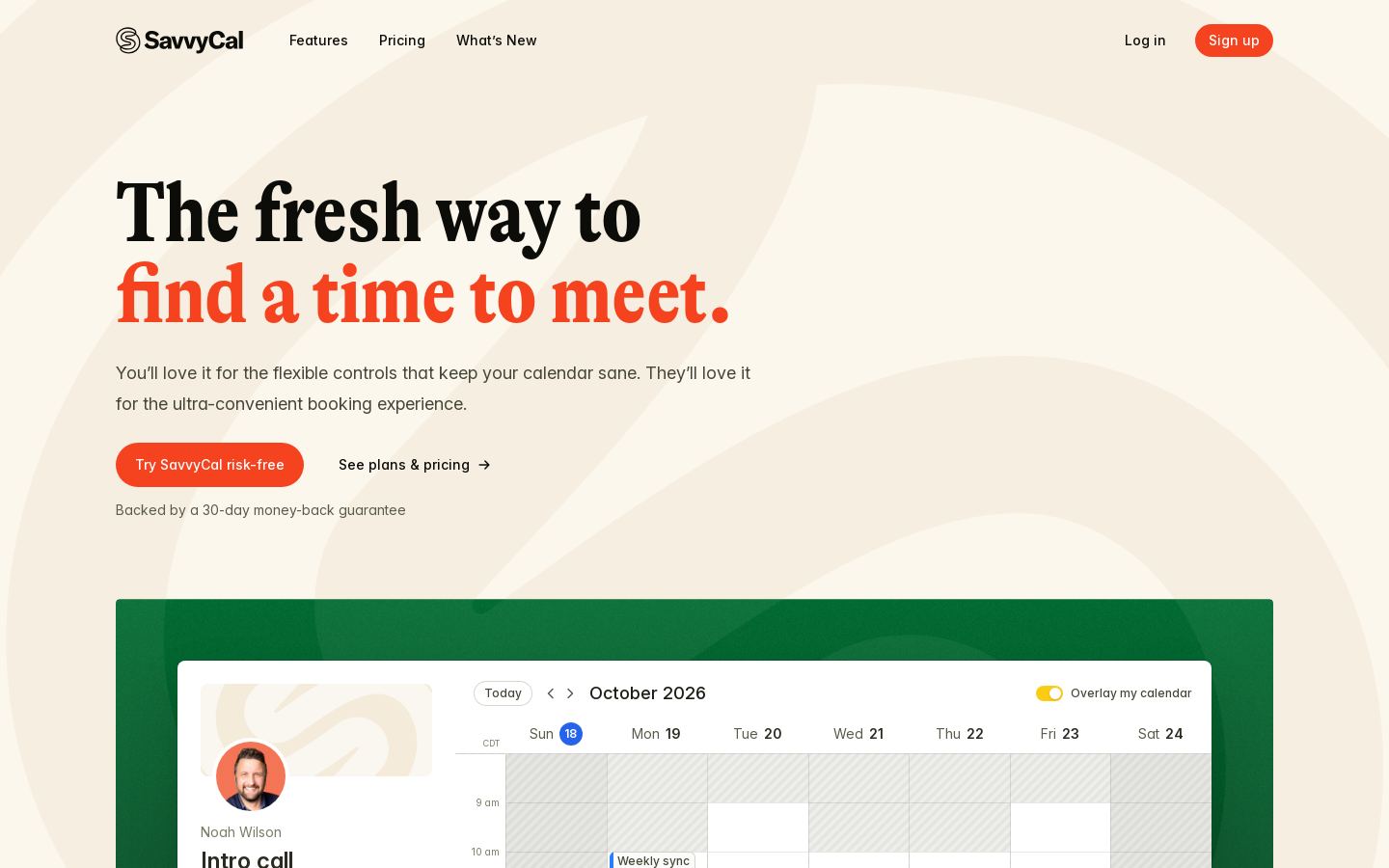
Scheduling links where invitees can overlay their own calendar to pick a time
Own SavvyCal? Claim it, free to correct the facts and get the verified badge.
Pricing
From $10/mo
API
Yes
Company
SavvyCal, Inc.
Platforms
What is SavvyCal?
SavvyCal is a meeting scheduling tool for sharing booking links. People who book see a week view of your open times and can lay their own calendar over your link to find a slot that works for both sides. They don't need an account to do it.
Hosts control buffers, daily, weekly or monthly meeting limits, preferred times and time blocks, which keeps meetings grouped together and protects focus time. Team links support round robin, collective and group modes. Workflows send reminders and follow-ups, and the Premium plan adds custom domains, white-labeling and Stripe payments. It connects to Google, Microsoft 365, iCloud and Fastmail calendars, creates Zoom, Google Meet or Teams links, and includes an API, webhooks and MCP access for AI assistants.
It suits sales, customer success, recruiting, consulting and education teams, and anyone who books a lot of meetings with outside people.
Key features
- Invitee calendar overlay on booking links
- Week-view booking page
- Buffers and daily, weekly or monthly meeting limits
- Preferred times and time blocking
- Round robin, collective and group team links
- Reminder and follow-up workflows
- Stripe paid bookings and custom domains (Premium)
- MCP access for Claude, ChatGPT and other assistants
Use cases
Who it's for
Sales demos
Round robin links spread demo meetings across a pool of reps.
Paid consultations
Consultants can charge through Stripe before a booking is confirmed.
Protecting focus time
Buffers, limits and time blocks stop the calendar from filling up with meetings.
Group sessions
Group mode lets several people book the same slot, for webinars or group coaching.
SavvyCal pricing
From the vendor's site, checked Nov 27, 2026. Prices change — confirm on their pricing page.
Basic
month
$10/user/mo billed annually ($12 monthly)
- Unlimited links, polls and calendars
- Round robin, collective and group modes
- Workflows, integrations, API and webhooks
- AI assistants via MCP
Premium
month
$17/user/mo billed annually ($20 monthly)
- Custom domains
- Remove SavvyCal branding
- Emails from your own address
- Delegated access
- Stripe payments at booking
| Cost for a team, per month | 1 person | 5 people | 20 people |
|---|---|---|---|
| Basicper seat | $10 | $50 | $200 |
| Premiumper seat | $17 | $85 | $340 |
Billed yearly where the plan offers it. — means the plan doesn't allow that many people.
Which plan do you need?
Get an email when SavvyCal changes its prices
One mail per change, a stop link in each. Nothing else.
How SavvyCal compares
- SavvyCal has no free plan, while all 2 alternatives below have one.
| Tool | Starts at | Free plan | Free trial | API | Open source | |
|---|---|---|---|---|---|---|
| SSavvyCal | $10/mo | — | — | — | ||
C Calendly | $10/mo | — | — | SavvyCal vs Calendly | ||
C Cal.com | $12/mo | SavvyCal vs Cal.com |
The closest alternatives in our directory by category. “Starts at” is the cheapest paid plan per month.
Pros and cons
Strengths
- People who book never need an account
- Unlimited links, calendars and teams on every plan
- 30-day money-back guarantee
- Students, educators and nonprofits get 25% off
Limitations
- No free plan for sharing booking links, and no self-serve trial
- Custom domains and payments require Premium
- Basic and Premium seats can't be mixed on one subscription
SavvyCal FAQ
Is there a free plan?
You can sign up, connect calendars, set up links and use meeting polls for free. To let people book from your links, you need Basic or Premium.
How much does it cost?
Basic costs $10 per user per month billed annually or $12 monthly. Premium costs $17 per user per month billed annually or $20 monthly.
Which calendars are supported?
Google, Microsoft 365 (Outlook), iCloud and Fastmail.
Can I get a refund?
Yes. You can ask for a full refund within 30 days of your first payment.
Is there volume pricing?
Teams of more than 50 users can email support to ask about volume pricing.
Used SavvyCal? Rate it
Sign in to rate this tool and share how you use it.
SavvyCal
From $10/mo