
WiseStamp
Central email signature management for Microsoft 365, Google Workspace and Exchange
Own WiseStamp? Claim it, free to correct the facts and get the verified badge.
Pricing
From $9/mo
Free trial
Yes
Company
WiseStamp
Platforms
What is WiseStamp?
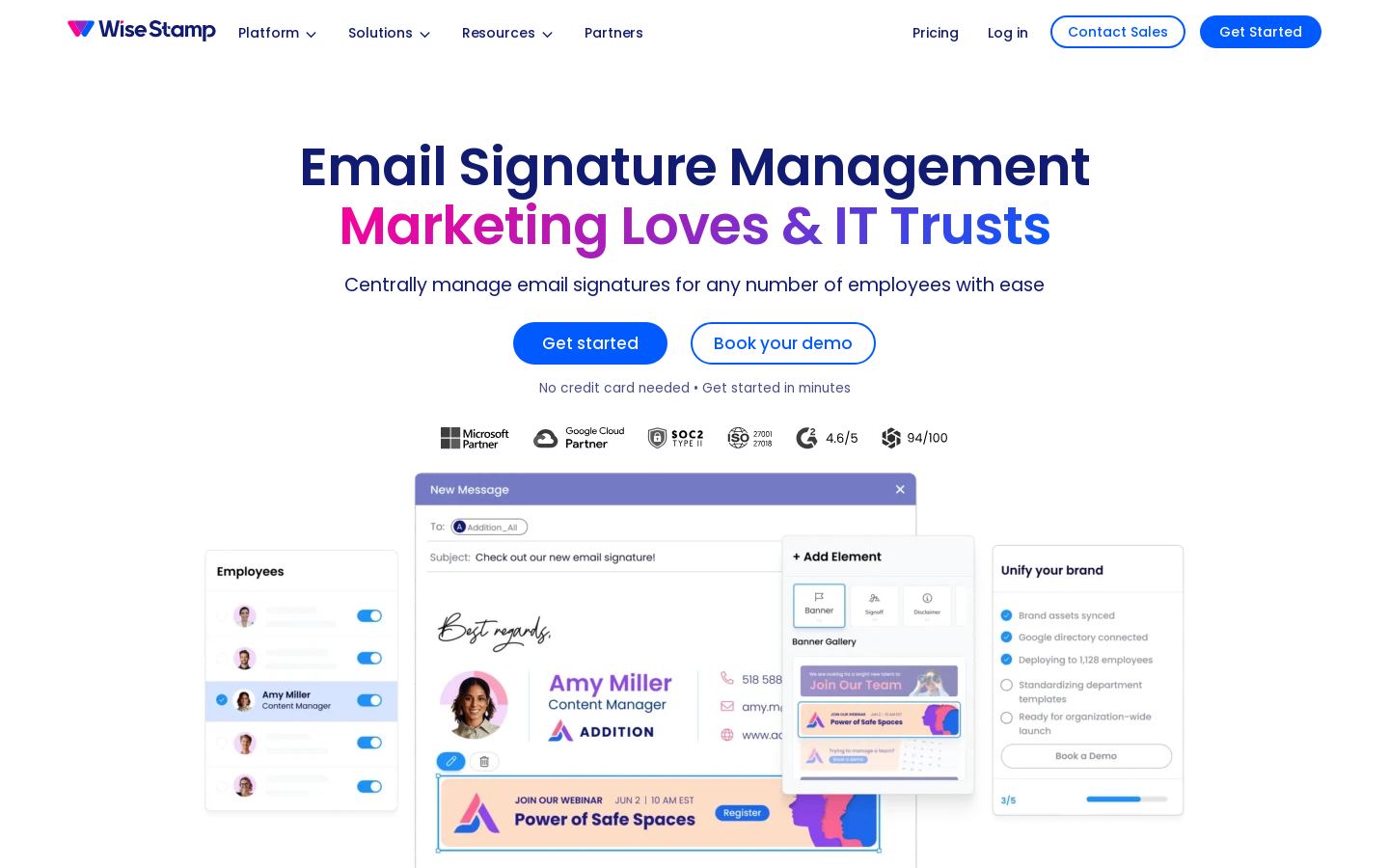
WiseStamp is an email signature manager that lets IT and marketing teams create, deploy and control employee email signatures across Microsoft 365, Google Workspace and on-premises Exchange from one dashboard.
It syncs with Microsoft Entra ID, Google Directory or SCIM identity providers, so employee details stay current and new hires get a signature on day one. Signatures can be delivered client-side through an Outlook Add-In or Chrome Extension, server-side, or both. Admins lock logos, layouts and legal disclaimers, and employees can edit only approved fields. An AI designer, a drag-and-drop editor and screenshot migration handle the design work.
Marketing teams can run scheduled banner campaigns, track impressions and clicks, use branded trackable links and collect NPS or CSAT surveys inside signatures. Plans cover individuals and micro-teams (Pro+) up to enterprises that need SSO, audit logs and SOC 2 / ISO 27001 compliance.
Key features
- AI signature designer from a prompt or logo
- Screenshot migration of existing signatures
- Directory sync with Entra ID, Google Directory and SCIM
- Client-side, server-side or hybrid deployment
- Locked legal disclaimers by department or region
- Scheduled banner campaigns with click analytics
- In-signature NPS and CSAT surveys
- SAML SSO, role-based access and audit log
Use cases
Who it's for
Company-wide brand consistency
Marketing locks logos and layouts so every employee signature matches brand guidelines, and one update reaches every inbox.
Automated onboarding and offboarding
Directory sync gives new hires a signature on day one and revokes it when a user is deprovisioned, without IT tickets.
Signature banner campaigns
Teams schedule promotional banners for events or holidays and track impressions and clicks.
Regulatory disclaimers
Compliance teams enforce approved disclaimers per department or region that employees cannot remove.
WiseStamp pricing
From the vendor's site, checked Nov 17, 2026. Prices change — confirm on their pricing page.
| Plan | Pro+ | Basic | Grow | Platform | Enterprise |
|---|---|---|---|---|---|
| Paid monthly | yearly onlybilled annually | yearly onlyplus $1/mo per employee, billed annually | yearly onlyplus $1/mo per employee, billed annually | yearly onlyplus $1/mo per employee, billed annually | Custom quote |
| Paid yearly | $9/mo | $19/mo | $49/mo | $189/mo | — |
| Admins | — | 1 | 5 | 10 | Unlimited |
| Templates | 3 | 5 | 20 | Unlimited | — |
| Organizations | — | — | — | 3 | Unlimited |
| Also |
|
|
|
|
|
Which plan do you need?
- ExclaimerStarter$0.90/mo
- WiseStampPro+$9/mo
The cheapest paid plan with a published price that fits. Custom and sales-quoted plans aren't included.
Get an email when WiseStamp changes its prices
One mail per change, a stop link in each. Nothing else.
How WiseStamp compares
- WiseStamp has no free plan, and neither do the 2 alternatives below.
| Tool | Starts at | Free plan | Free trial | API | Open source | |
|---|---|---|---|---|---|---|
| WWiseStamp | $9/mo | — | — | — | ||
E Exclaimer | $0.9/mo | — | — | — | WiseStamp vs Exclaimer | |
C CodeTwo | $12.2/mo | — | — | — | WiseStamp vs CodeTwo |
The closest alternatives in our directory by category. “Starts at” is the cheapest paid plan per month, as each vendor lists it.
Pros and cons
Strengths
- 14-day free trial on all plans with no credit card
- Supports Microsoft 365, Google Workspace and on-prem Exchange
- SAML SSO included from the Platform plan
- SOC 2 Type II, ISO 27001 and GDPR compliance
Limitations
- No free plan
- Server-side deployment only on Platform and Enterprise plans
- Audit log limited to Enterprise
- Paid plans are billed annually
WiseStamp FAQ
How much does WiseStamp cost?
Pro+ starts at $9/mo for individuals. Business plans are Basic at $19/mo, Grow at $49/mo and Platform at $189/mo, each plus $1/mo per employee, billed annually. Enterprise has custom pricing.
Is there a free version?
There is no free plan, but every plan has a 14-day free trial with no credit card required.
Which email platforms does it support?
Microsoft 365 (Outlook desktop, web and mobile), Google Workspace (Gmail web, iOS and Android) and on-premises or hybrid Exchange.
Does WiseStamp read my emails?
WiseStamp states it never reads or stores email content and that customers keep data ownership.
Can I cancel?
Yes, plans can be cancelled at any time, and there is a 14-day money-back guarantee.
Used WiseStamp? Rate it
Sign in to rate this tool and share how you use it.
WiseStamp
From $9/mo