
Clean Email
Bulk-clean, unsubscribe and auto-organize cluttered email inboxes
Own Clean Email? Claim it, free to correct the facts and get the verified badge.
Pricing
From $9.99/mo
Free trial
Yes
Company
Clean Email, LLC
Founded
2015
Platforms
What is Clean Email?
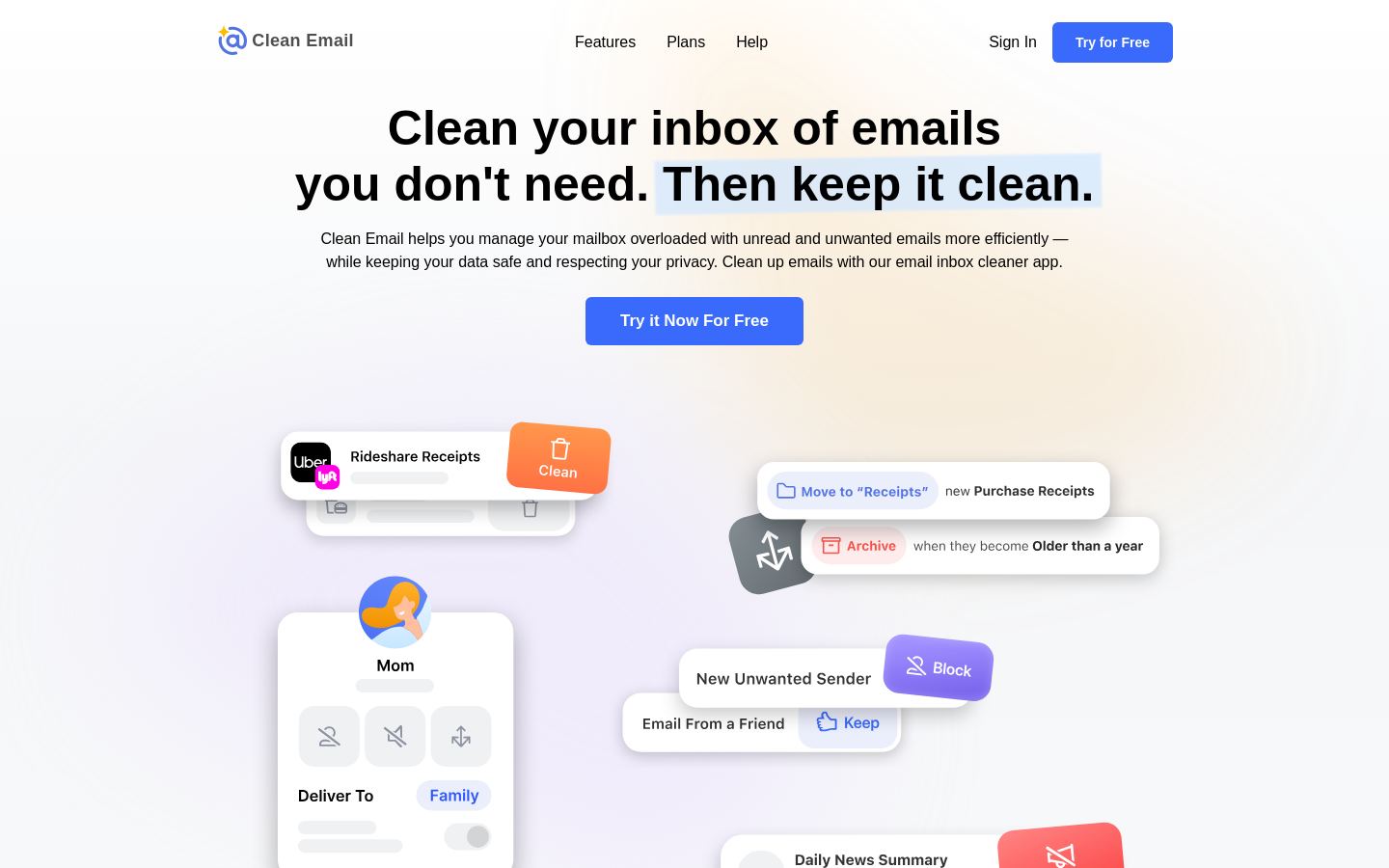
Clean Email is an inbox cleaning app that groups your emails into bundles so you can delete, archive, label or move hundreds of messages at once instead of handling them one by one. Cleaning Suggestions and Smart Folders such as "Old emails" or "Emails from social networks" surface the mail you are likely to remove.
The Unsubscriber sends unsubscribe requests for you and blocks senders that ignore them. You can also pause subscriptions, send them to Read Later or keep only the newest. Auto Clean rules act on incoming mail automatically, for example archiving social notifications and sending a daily summary.
It works with Gmail, Yahoo, Outlook/Hotmail, AOL, iCloud and company accounts, alongside your existing email app, on iPhone, iPad, Android, Mac and the web. Only email headers are analyzed, and data is kept for 45 days. It suits people with overloaded personal, work or school inboxes who are working toward inbox zero or need to free up storage.
Key features
- Bulk delete, archive, move or label grouped emails
- Cleaning Suggestions and Smart Folders
- Unsubscriber that blocks senders ignoring unsubscribe requests
- Pause, Read Later and Keep Newest options for subscriptions
- Auto Clean rules for incoming mail with digests
- Screener and Privacy Monitor features
- Works with Gmail, Yahoo, Outlook, AOL, iCloud and work accounts
- Analyzes only email headers, not bodies or attachments
Use cases
Who it's for
Clearing a huge unread backlog
Group thousands of old or unread emails by sender or type and remove them in a few clicks.
Cutting newsletter overload
Unsubscribe from unwanted lists, including ones without an unsubscribe link, and block persistent senders.
Freeing mailbox storage
Find and delete old or large emails that fill up storage space.
Keeping inbox zero
Set Auto Clean rules to archive or mark notifications as read automatically and review a daily summary.
Clean Email pricing
From the vendor's site, checked Nov 18, 2026. Prices change — confirm on their pricing page.
| Plan | 1 account | 5 accounts | 10 accounts |
|---|---|---|---|
| Paid monthly | $9.99/mo | $19.99/mo$49.99 billed yearly | $29.99/mo$99.99 billed yearly |
| Paid yearly | — | $4.17/mo−79% | $8.33/mo−72% |
| Email accounts | 1 | 5 | 10 |
| Sharing with friends and family | — | Yes | Yes |
| Also |
| — | — |
Every plan: emails cleaned Unlimited · All features included · Cancel or change plans anytime
Which plan do you need?
- Clean Email5 accounts$4.17/mo
- SaneBoxSnack$5.42/mo
The cheapest paid plan with a published price that fits. Custom and sales-quoted plans aren't included.
Get an email when Clean Email changes its prices
One mail per change, a stop link in each. Nothing else.
Pros and cons
Strengths
- Supports most major email providers and works with any email client
- Only headers are analyzed and data is stored for 45 days
- No advertising, and the company states it does not sell user data
- Apps for iPhone, iPad, Android, Mac and the web
Limitations
- Does not replace your email client; it only cleans and organizes your mailbox
- No Windows desktop app listed
Clean Email FAQ
Is there a free trial?
Yes, Clean Email offers a free trial to get started.
Which email providers does it support?
Gmail, Yahoo, Hotmail/Outlook, AOL, iCloud (via app-specific passwords) and company email accounts.
Does Clean Email read my emails?
It analyzes only headers such as sender, subject, date and size. Email bodies and attachments are not downloaded, and data is stored for 45 days.
Which platforms is it available on?
iPhone and iPad, Android, Mac and the web.
Used Clean Email? Rate it
Sign in to rate this tool and share how you use it.
Clean Email
From $9.99/mo
Tools similar to Clean Email
AI email filtering that sorts unimportant mail out of any inbox