
BrowserLeaks
Browser tests for IP, WebRTC, DNS leaks and fingerprinting exposure
Own BrowserLeaks? Claim it, free to correct the facts and get the verified badge.
Pricing
Pricing unknown
Founded
2011
Platforms
What is BrowserLeaks?
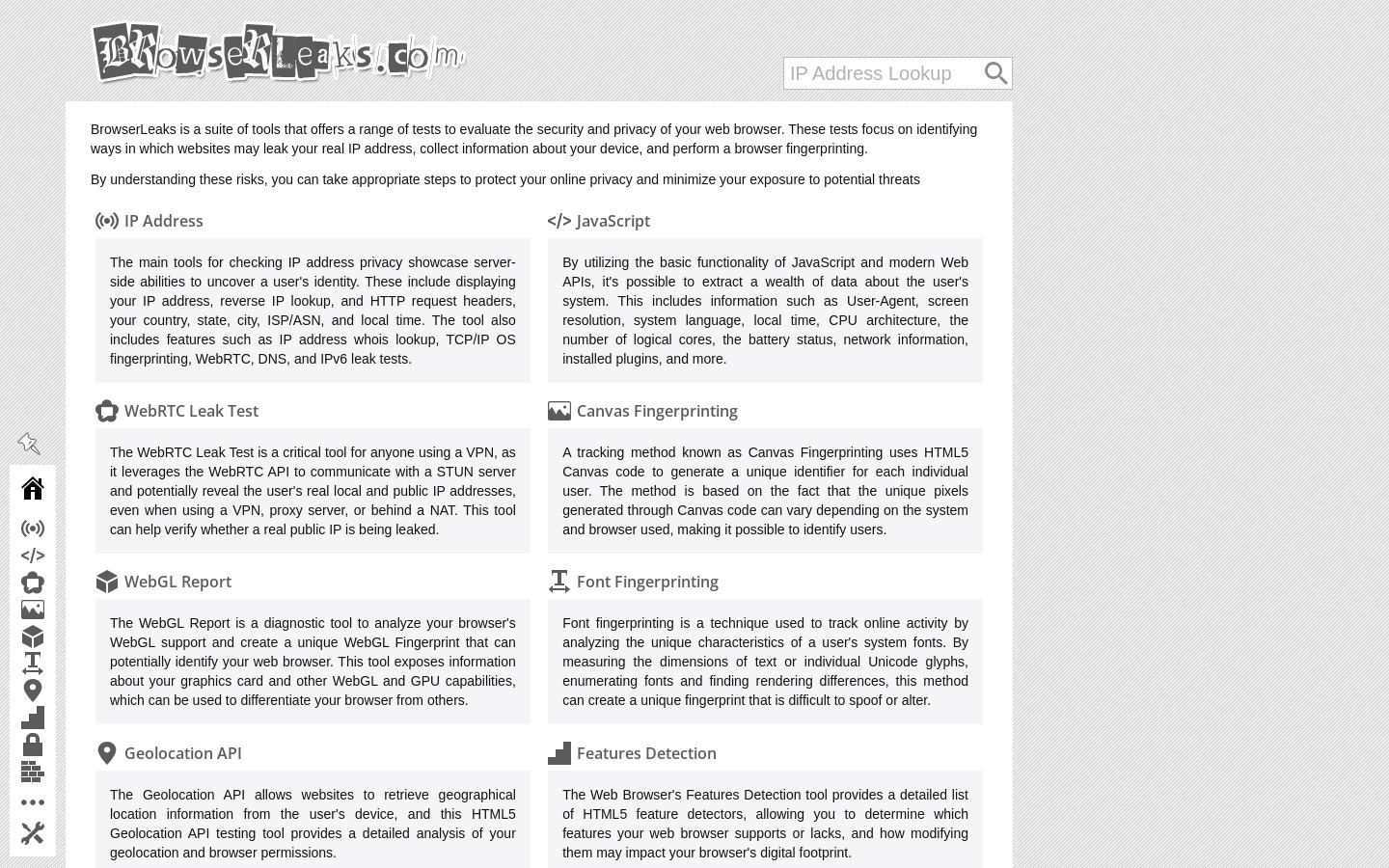
BrowserLeaks is a suite of web-based tests that show what your browser reveals to websites: your real IP address, device details and the signals used for browser fingerprinting.
Each tool covers one area. The IP Address page shows server-side data such as HTTP headers, ISP/ASN, location, whois and TCP/IP OS fingerprinting, with WebRTC, DNS and IPv6 leak tests. Other pages cover Canvas, WebGL, WebGPU, font and ClientRects fingerprinting, JavaScript system data, Geolocation API permissions, HTML5 feature detection and content filter detection. A TLS Client Test inspects ClientHello and cipher suites and generates JA3/JA4 fingerprints. Experimental tools add QUIC, HTTP/2 and TCP fingerprinting.
It suits VPN and proxy users checking for leaks, people configuring antidetect browsers, and developers or researchers studying fingerprinting. The site says it does not collect personal data or store user fingerprints.
Key features
- IP address, headers, ISP/ASN and whois lookup
- WebRTC, DNS and IPv6 leak tests
- Canvas, WebGL, WebGPU and font fingerprinting tests
- TLS ClientHello inspection with JA3/JA4 fingerprints
- HTTP/2, QUIC and TCP/IP fingerprinting
- Geolocation API and permissions analysis
- Content filter, Tor and ad blocker detection
- Chrome extension detection and Client Hints test
Use cases
Who it's for
Checking a VPN for leaks
Run the WebRTC and DNS leak tests to see whether your real public IP shows up while connected to a VPN or proxy.
Validating antidetect browser profiles
Compare Canvas, WebGL, font and TLS fingerprints across profiles to see how unique or consistent they appear.
Fingerprinting research
Developers can inspect JA3/JA4, HTTP/2 and TCP fingerprints to understand how servers identify clients.
Reviewing browser privacy settings
See which features, permissions and DNT/GPC signals your browser exposes after changing settings.
BrowserLeaks pricing
From the vendor's site, checked Nov 7, 2026. Prices change — confirm on their pricing page.
The vendor does not publish plan details.
How BrowserLeaks compares
- BrowserLeaks has no free plan, while 1 of the 2 alternatives below has one.
| Tool | Starts at | Free plan | Free trial | API | Open source | |
|---|---|---|---|---|---|---|
| BBrowserLeaks | — | — | — | — | — | |
C Cover Your Tracks (EFF) | Free | — | — | — | BrowserLeaks vs Cover Your Tracks (EFF) | |
A AmIUnique | — | — | — | — | — | BrowserLeaks vs AmIUnique |
The closest alternatives in our directory by category. “Starts at” is the cheapest paid plan per month, as each vendor lists it.
Pros and cons
Strengths
- Covers IP, WebRTC, DNS, TLS and many fingerprinting vectors in one place
- Generates JA3/JA4 and HTTP/2 fingerprints
- States it does not store user fingerprints or collect personal data
- Running since 2011
Limitations
- Some listed tools are experimental, broken or deprecated
- Web-only, with no app or API listed
BrowserLeaks FAQ
What does BrowserLeaks test?
It tests what your browser reveals to websites, including IP address, WebRTC and DNS leaks, Canvas, WebGL and font fingerprints, TLS details and geolocation.
Can it check whether my VPN leaks my IP?
Yes. The WebRTC Leak Test and DNS Leak Test check whether your real IP is exposed while using a VPN or proxy.
Does BrowserLeaks store my fingerprint?
Its privacy policy says it does not collect personal data, store user fingerprints or set non-essential cookies.
Does it generate TLS fingerprints?
Yes. The TLS Client Test generates JA3/JA4 fingerprints, and other tools cover HTTP/2, QUIC and TCP fingerprinting.
Used BrowserLeaks? Rate it
Sign in to rate this tool and share how you use it.
BrowserLeaks
Pricing unknown